• How To?
  • Tips ‘n Tricks
  • WordPress
  • Snippets
  • Software
    • Browsers
    • Downloads
  • Web
  • Tools
    • Character Counter
    • chmod Calculator
    • Entities Encoder
    • Live HTML Editor
    • My IP
  • Contact
Twitter Facebook Google+ RSS
You are here: SumTips » Posts Tagged: Command Prompt

Windows: How to Copy Folder Structure without Copying Files

Posted on January 20, 2013 by Renji
| Short URL: http://sumtips.com/?p=8076
Windows: How to Copy Folder Structure without Copying Files

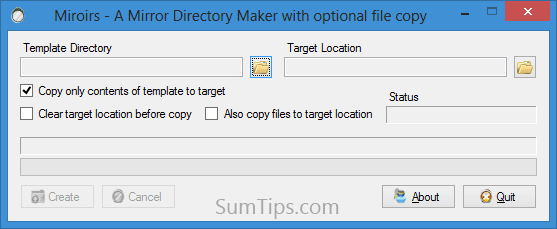
Quickly duplicate a folder structure, including all subfolders in Windows from the command line or by using a free software called Miroirs.

Categories: Software, Windows | Tags: Command Prompt, Software, Windows

How to Delete Files and Folders as a Different User in Windows

Posted on January 16, 2013 by Renji
| Short URL: http://sumtips.com/?p=8203
How to Delete Files and Folders as a Different User in Windows

Here’s how you can delete files and folders created under another Windows user account from your own account.

Categories: Tips 'n Tricks, Windows | Tags: Command Prompt, Tips 'n Tricks, Windows

Create File or Folder Shortcuts from Command Line in Windows

Posted on January 15, 2013 by Renji
| Short URL: http://sumtips.com/?p=8176
Create File or Folder Shortcuts from Command Line in Windows

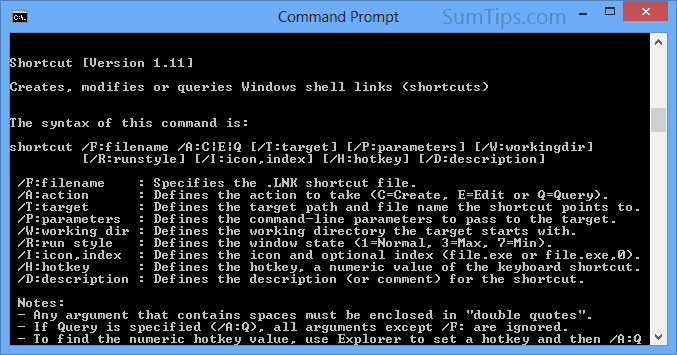
Create shortcuts to files and folders in Windows from the command-line using Windows PowerShell and Command Prompt.

Categories: Tips 'n Tricks | Tags: Command Prompt, PowerShell

Uninstall Programs using Command Prompt in Windows

Posted on January 11, 2013 by Renji
| Short URL: http://sumtips.com/?p=7910
Uninstall Programs using Command Prompt in Windows

Retrieve the list of installed software and Windows hotfix updates using WMIC in Windows Command Prompt, then uninstall required programs.

Categories: Tips 'n Tricks, Windows | Tags: Command Prompt, Windows

Delete Files Older Than X Days in Windows with PowerShell & CMD

Posted on January 3, 2013 by Renji
| Short URL: http://sumtips.com/?p=7990

Here are some ways to delete files older than X number of days in a folder and all its subfolders in Windows using PowerShell and Command Prompt.

Categories: Tips 'n Tricks | Tags: Command Prompt, PowerShell

Find Files Larger than a Specific Size with PowerShell & CMD

Posted on January 3, 2013 by Renji
| Short URL: http://sumtips.com/?p=7920

Know how to find files that are larger than a specific size in a directory and all its sub-subdirectories using PowerShell and Command Prompt.

Categories: Tips 'n Tricks | Tags: Command Prompt, PowerShell

Batch Rename File Extensions with Command Prompt / PowerShell

Posted on December 28, 2012 by Renji
| Short URL: http://sumtips.com/?p=7823
Batch Rename File Extensions with Command Prompt / PowerShell

Recursively rename file extensions in folder and all its sub-folders using either Command Prompt or PowerShell in Windows

Categories: Tips 'n Tricks | Tags: Command Prompt, PowerShell, Windows

Robocopy: Command-line Usage Examples and Switches

Posted on December 27, 2012 by Renji
| Short URL: http://sumtips.com/?p=7818
Robocopy: Command-line Usage Examples and Switches

An in-depth post on using Robocopy utility from command-line with examples and complete list of available switches.

Categories: How To? | Tags: Command Prompt, Windows

Flatten Folder Structure, Move Files from Sub-Folders to Main

Posted on December 25, 2012 by Renji
| Short URL: http://sumtips.com/?p=7797
Flatten Folder Structure, Move Files from Sub-Folders to Main

Here are three easy, and free, solutions to automatically move all the files from every sub-folder in a folder structure into the root folder.

Categories: Software | Tags: Command Prompt, Portable, Software, Windows

Defragment Specific File or Folder in Windows

Posted on December 15, 2012 by Renji
| Short URL: http://sumtips.com/?p=7756
Defragment Specific File or Folder in Windows

Save time by performing defragmentation on a specific file, folder, or multiple files instead of the whole disk partition with these free utilities.

Categories: Software | Tags: Command Prompt, Portable, Software, Windows

Previous Entries
  • Get Updates via Email

  • Recent Posts

    • CMS2CMS: Migrate Site from Drupal or Joomla to WordPress
    • WordPress: Add Preview Button in Distraction Free Writing
    • How to Activate or Deactivate Individual Jetpack Modules
    • Windows 8: Auto Update Defender with Windows Update Disabled
    • Automatically Start and Close Programs at Specific Time
    • How to Copy Code from Notepad++ with Syntax Highlighting
  • Random Posts

    • Foursquare Has a New Trophy Case to Showcase Your Badges
    • Official Windows 7 Thanksgiving Theme
    • Floating Facebook Navigation Bar
    • WordPress: Enable Email Address Login & Change Login Page Text
    • Minimal Cursor Packs for Windows
    • WordPress Theme Finder
  • Categories

    • Blogging
    • Games
    • Google
    • How To?
    • Linux
    • Microsoft
      • Windows
    • Miscellaneous
    • Phone
    • Snippets
      • AutoHotkey Snippets
      • CSS Snippets
      • htaccess Snippets
      • JavaScript Snippets
      • PowerShell Snippets
      • WordPress Snippets
    • Social
    • Software
      • Browsers
    • Tips 'n Tricks
    • Wallpapers
    • Web
© SumTips. Contact | Sitemap | Privacy Policy