Free Android app · No ads · Works offline
When did I last do this?
Some things have no schedule, only a last time. When you changed the water filter. When you last called your mum. When the car was washed. Whenzo keeps that for you: make a tracker, tap it when you do the thing, and it says how long it has been. Two days ago. Three months ago. That is the whole idea.
Free. No account, no ads, no in-app purchases. Android 8.0 or later.
One tap, and it remembers
Every tracker is a name and a tick. Tap the tick when you do the thing and Whenzo writes down when. From then on the card says how long it has been, in plain words: “2 days ago”, “1 week ago”, “3 months ago”. There is a five-second undo after each tap, and the same moment offers a note, because that is when you know what to write.
Set a target, or don’t
Give a tracker a target, every 7 days, every 90 days, every 6 months, and the card shows how far along it is and when it is due: “On track”, “Due in 3 days”, “Due today”, “Overdue”. Things that have slipped gather under “Needs attention”, with how late they are stated once, in days, and nothing else said about it. Leave the target off and the tracker simply remembers. Both ways are first-class.

It learns your real rhythm
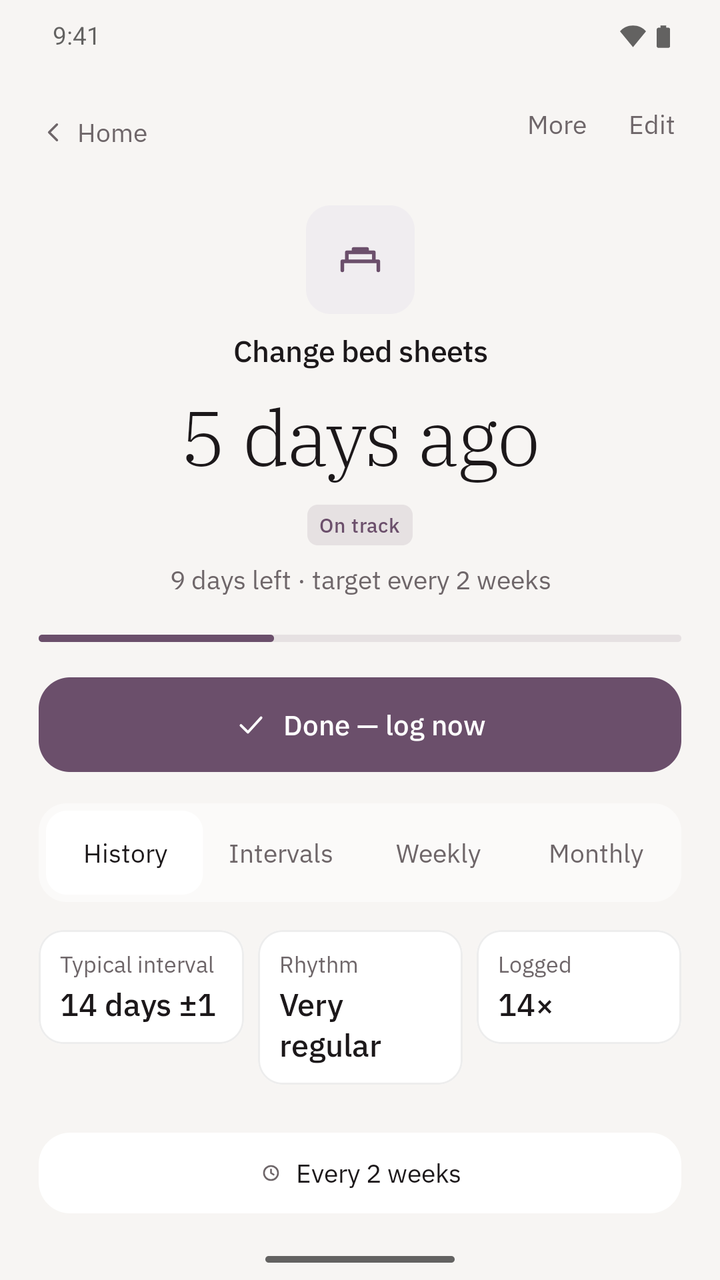
Open a tracker and it measures the gaps between your own logs: the typical interval, how regular it is (“Very regular”, “Fairly regular”, “Varies a lot”) and how many times you have logged it. If your target and your real habit disagree, Whenzo says so once and offers to change the target. Usually the target was wrong, not you. The Intervals tab draws every gap against your target line, with the average, the shortest and the longest.
“You aim for every 30 days; in practice it is every 46 days.”

Look back by month
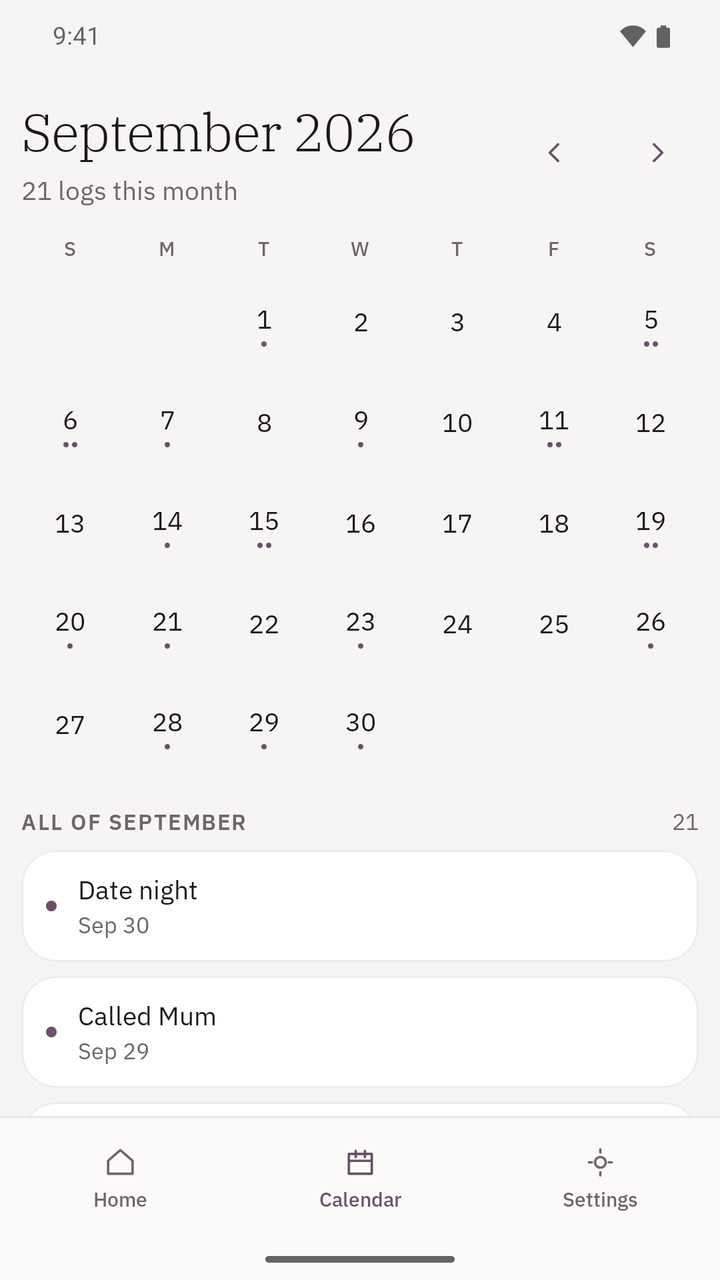
The Calendar shows every day you logged something as a dot, with the count for the month and a list of what happened. A month with nothing in it says so by name. You can also log on a past day you forgot to record at the time.
Also
- Groups, so a long list stays navigable
- Completion states, Done, Partial, Skipped, Couldn’t, when a plain tick is too blunt
- A note on any log; an amount too, on trackers set up to record one
- Home-screen widgets for one, two or three trackers, with one-tap logging
- Launcher shortcuts and a Quick Settings tile for your pinned trackers
- Pin, archive, duplicate; a bin that keeps deleted trackers, with their history, until you restore them or delete them permanently
- Ten accent colours, light and dark themes
- Phones and tablets, with a two-pane layout on larger screens
- English and French
The screens
Four real screens from the app. Pick one.
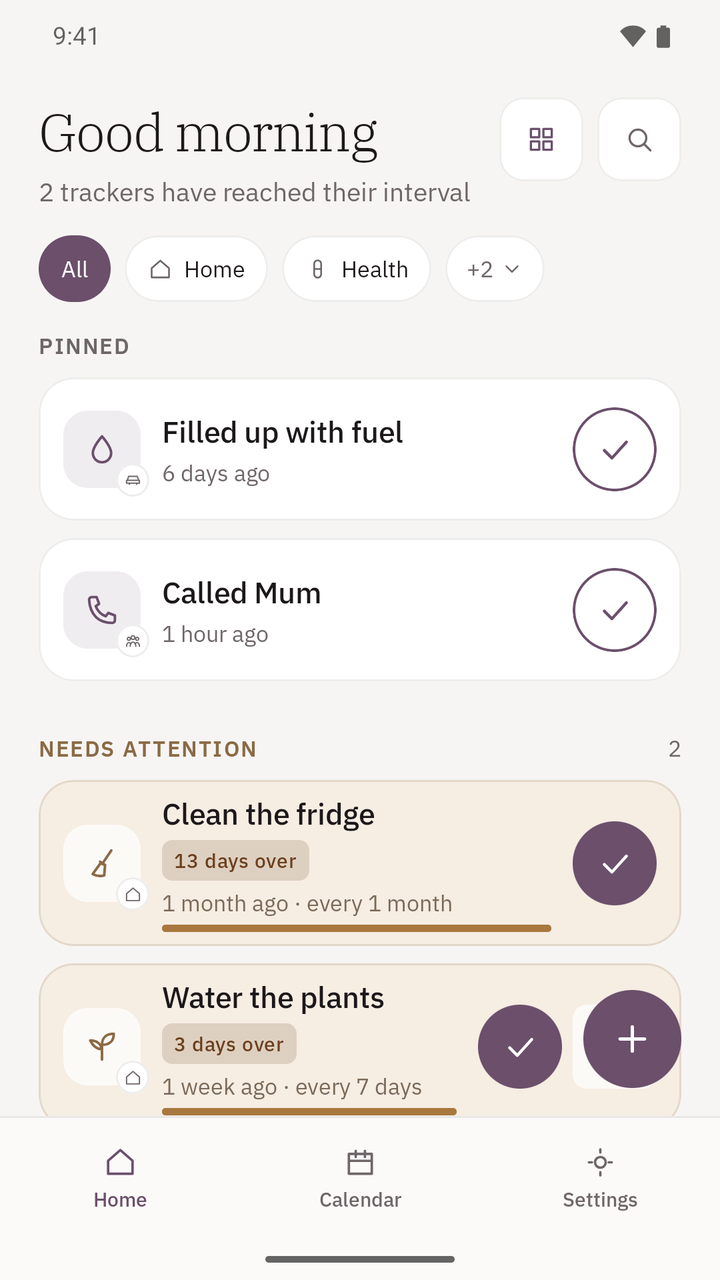
Pinned first, then what needs attention, then everything else, most recently logged first. Tap the tick to log; tap the card to open it.
How long it has been, your typical gap and how regular it is, and the target if you set one.
A dot for every day something was logged, and the month’s list underneath.
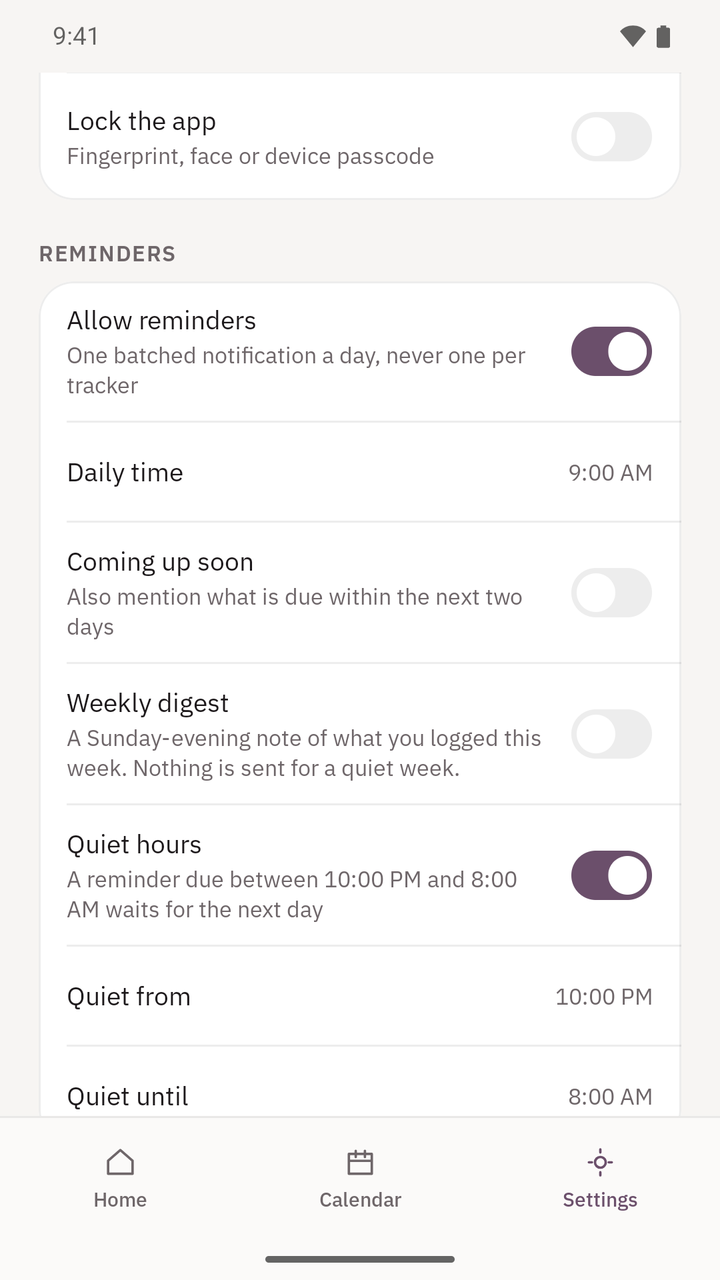
One batched notification a day, never one per tracker, and quiet hours it will not cross. Reminders are off until you turn them on.
Yours, and offline
- No internet permission
- Whenzo cannot connect to anything. It is not that it chooses not to; the app has no network permission at all.
- No account
- Nothing to sign up for, nothing to sign in to. Open it and start.
- No ads, no purchases
- Free, with nothing for sale inside.
- Export whenever you like
- CSV for a spreadsheet, or a full JSON backup that restores everything including settings. Files go where you choose, through Android’s own file picker. Exports are not encrypted, so keep them somewhere you trust.
- An optional lock
- Fingerprint, face or device passcode, using Android’s own prompt. It protects viewing the app; widgets and shortcuts you have already placed still work, and while the lock is on no new quick-log shortcuts are offered, so tracker names stay off the launcher.
- Your device backs itself up
- Android may back the app up to your own Google account, under Google’s policy. The developer never sees it. You can turn that off in Android Settings.
Everything the app does with data is in the privacy policy. It is short.
Questions
Is Whenzo a habit tracker?
Not in the usual sense. A habit tracker asks you to do something every day and counts the chain. Whenzo records when you last did something and tells you how long it has been. You can give a tracker a target, every 7 days or every 6 months, but there are no streaks, no chains and nothing to break. Missing something shows as “Overdue” with the number of days, and that is all it says.
Does it work offline?
Yes, entirely. Whenzo has no internet permission, so it cannot send or receive anything. Your trackers and history live in the app’s private storage on your device.
Can I set a reminder?
Yes, if you want one. Reminders are off until you turn them on. When on, Whenzo sends one notification a day listing the trackers that have reached their target, never one notification per tracker, and any tracker can be switched out of it with its own Remind me setting. It respects quiet hours you set, can mention what is coming up in the next two days, and can send a short note on Sunday evening of what you logged that week. A week with nothing logged sends nothing.
Is there an iPhone version?
No. Whenzo is an Android app and there is no iOS or web version. It runs on Android 8.0 or later, on phones and tablets.
Where is my data, and can I get it out?
On your device, in the app’s own storage. You can export it at any time as CSV or as a full JSON backup, and import a backup on a new phone, either adding to what is there or replacing it. Android may also back the app up to your own Google account; that is between you and Google, and you can turn it off in Android Settings.
Is it free?
Yes. There are no ads, no in-app purchases and no account. The app is published on Google Play by SumTips.
Keep the last time
One tap when you do the thing. Plain words for how long it has been.

Free. No account, no ads, no in-app purchases. Android 8.0 or later.