• How To?
  • Tips ‘n Tricks
  • WordPress
  • Snippets
  • Software
    • Browsers
    • Downloads
  • Web
  • Tools
    • Character Counter
    • chmod Calculator
    • Entities Encoder
    • Live HTML Editor
    • My IP
  • Contact
Twitter Facebook Google+ RSS
You are here: SumTips » Tips ‘n Tricks

How to Activate or Deactivate Individual Jetpack Modules

Posted on January 23, 2013 by Renji
| Short URL: http://sumtips.com/?p=8351
How to Activate or Deactivate Individual Jetpack Modules

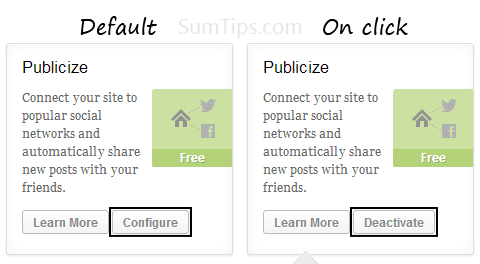
Here’s how you can selectively enable or disable Jetpack features on self-hosted WordPress sites. This way you can activate only those features that you wish to use.

Categories: Tips 'n Tricks | Tags: Tips 'n Tricks, WordPress

Windows 8: Auto Update Defender with Windows Update Disabled

Posted on January 22, 2013 by Renji
| Short URL: http://sumtips.com/?p=8340
Windows 8: Auto Update Defender with Windows Update Disabled

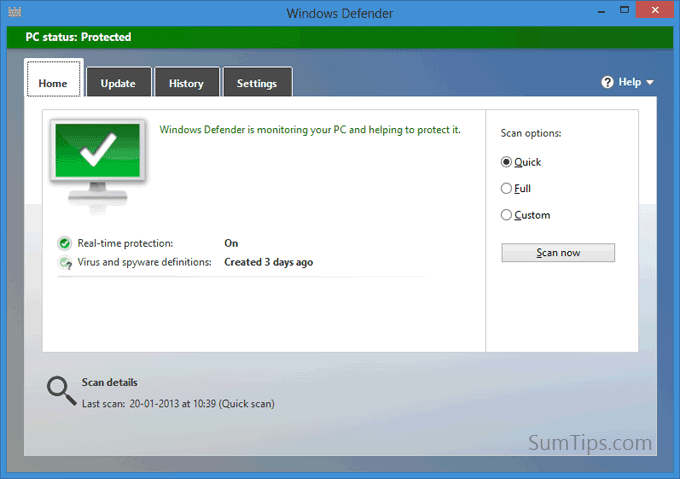
Use this method to automatically update Windows Defender definitions if you have chosen to run Windows update manually or if you have turned it off entirely.

Categories: Tips 'n Tricks | Tags: Tips 'n Tricks, Windows 8

Automatically Start and Close Programs at Specific Time

Posted on January 21, 2013 by Renji
| Short URL: http://sumtips.com/?p=8334
Automatically Start and Close Programs at Specific Time

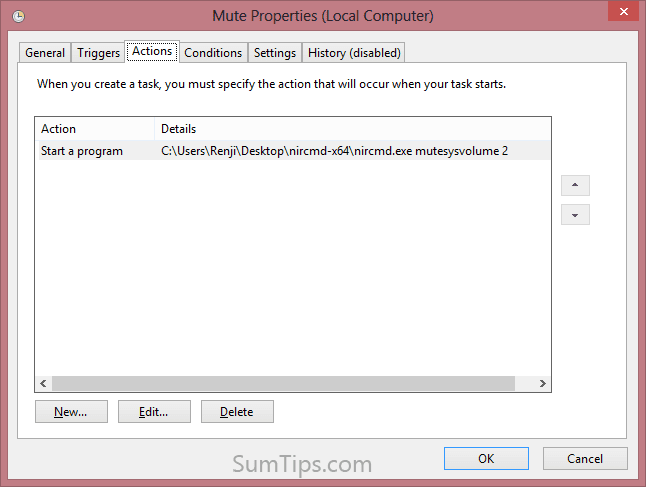
Here’s how you can automatically start and close programs at a scheduled time in Windows using Task Scheduler. You can use it to run/close one or many programs at once.

Categories: How To?, Tips 'n Tricks, Windows | Tags: Tips 'n Tricks, Windows

How to Copy Code from Notepad++ with Syntax Highlighting

Posted on January 20, 2013 by Renji
| Short URL: http://sumtips.com/?p=8324
How to Copy Code from Notepad++ with Syntax Highlighting

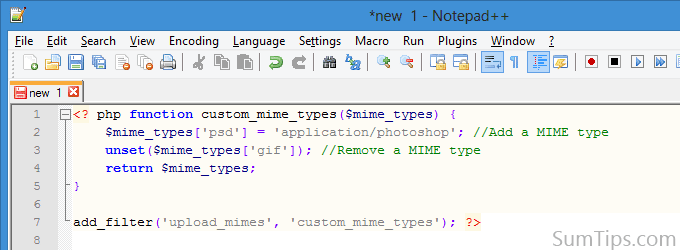
If you are using Notepad++ as your default text editor, here’s a little tip for copying codes with syntax highlighting from the program to any external program.


Categories: Tips 'n Tricks | Tags: Notepad, Tips 'n Tricks

Windows 8: Restrict Failed Login Attempts & Lockout Duration

Posted on January 19, 2013 by Renji
| Short URL: http://sumtips.com/?p=8288
Windows 8: Restrict Failed Login Attempts & Lockout Duration

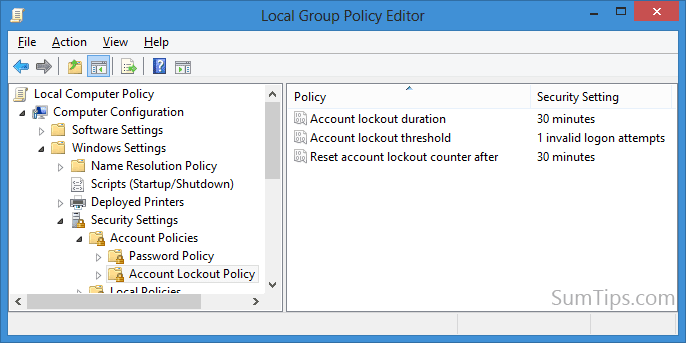
In this post, I’ll show how you can enable the Account Lockout option, specify Account Lockout duration, and set the number of logon attempts allowed before lockout in Windows 8.

Categories: Tips 'n Tricks, Windows | Tags: Security, Tips 'n Tricks, Windows 8

Windows 8: Display a Startup Message to Users

Posted on January 16, 2013 by Renji
| Short URL: http://sumtips.com/?p=8231
Windows 8: Display a Startup Message to Users

Add a startup message in Windows 8 using Group Policy Editor or Registry Editor. The message is shown before users can log into their accounts.

Categories: Tips 'n Tricks, Windows | Tags: Tips 'n Tricks, Windows 8

How to Delete Files and Folders as a Different User in Windows

Posted on January 16, 2013 by Renji
| Short URL: http://sumtips.com/?p=8203
How to Delete Files and Folders as a Different User in Windows

Here’s how you can delete files and folders created under another Windows user account from your own account.

Categories: Tips 'n Tricks, Windows | Tags: Command Prompt, Tips 'n Tricks, Windows

Google Docs: Import Data from One Spreadsheet into Another

Posted on January 15, 2013 by Renji
| Short URL: http://sumtips.com/?p=8194
Google Docs: Import Data from One Spreadsheet into Another

Google Docs has a handy ImportRange function that lets you pull in data from one spreadsheet into another. You can use this function to reference one or more cell values from a sheet.

Categories: Tips 'n Tricks | Tags: Google Docs, Tips 'n Tricks

Create File or Folder Shortcuts from Command Line in Windows

Posted on January 15, 2013 by Renji
| Short URL: http://sumtips.com/?p=8176
Create File or Folder Shortcuts from Command Line in Windows

Create shortcuts to files and folders in Windows from the command-line using Windows PowerShell and Command Prompt.

Categories: Tips 'n Tricks | Tags: Command Prompt, PowerShell

Manage Disk Partitions with Windows PowerShell

Posted on January 12, 2013 by Renji
| Short URL: http://sumtips.com/?p=4721

Learn how to view list of existing partitions in Windows, delete a partition, create a new partition, format partition, and more using Windows PowerShell.

Categories: Tips 'n Tricks, Windows | Tags: PowerShell, Tips 'n Tricks

Previous Entries
  • Get Updates via Email

  • Recent Posts

    • CMS2CMS: Migrate Site from Drupal or Joomla to WordPress
    • WordPress: Add Preview Button in Distraction Free Writing
    • How to Activate or Deactivate Individual Jetpack Modules
    • Windows 8: Auto Update Defender with Windows Update Disabled
    • Automatically Start and Close Programs at Specific Time
    • How to Copy Code from Notepad++ with Syntax Highlighting
  • Random Posts

    • SocialFolders: Sync Facebook, YouTube and more to your Computer
    • Get the Features of Multimedia Keyboard on a Normal Keyboard
    • New Facebook Mobile App for Regular Cellphone Users
    • Make WordPress Registration Invite Only
    • Know Sites Accessed By Users In Private Browsing Mode
    • Google Plus Theme for Blogger Blogs
  • Categories

    • Blogging
    • Games
    • Google
    • How To?
    • Linux
    • Microsoft
      • Windows
    • Miscellaneous
    • Phone
    • Snippets
      • AutoHotkey Snippets
      • CSS Snippets
      • htaccess Snippets
      • JavaScript Snippets
      • PowerShell Snippets
      • WordPress Snippets
    • Social
    • Software
      • Browsers
    • Tips 'n Tricks
    • Wallpapers
    • Web
© SumTips. Contact | Sitemap | Privacy Policy